
Mentoring and coaching, in one app.
A real person as your mentor, and everything between sessions in one place, on iPhone and Android.

Free to download. Your account is created when you enroll, and mentoring plans are paid.
- Free on iPhone and Android
- One real mentor, every week
- By video anywhere in the US
At a glance
At a glance
The Blackburn Mentoring & Coaching app gives teens 13 and up, college students and young adults a real person as their mentor: one dedicated Blackburn Mentoring mentor, with the app holding everything between sessions.
- In the stores
- Blackburn Mentoring & Coaching, free on the App Store and Google Play
- Who it is for
- Teens 13 and up, college students and young adults, and their families
- Your mentor
- A real person, the same one every week, who runs your 60 minute video sessions and answers your messages
- Inside the app
- Video sessions, booking, recaps and next steps, midweek check-ins, messaging, a journal and a read-only family view
- Where
- By video anywhere in the US; in person in Los Angeles too
- To start
- A free 20 minute intro call, booked right away; mentoring is a paid plan, and new clients are matched with a mentor within 2 business days
See it in action
Take the 90-second tour.
Booking, recaps, check-ins and messages: how the app works between sessions.
Inside the app
Everything between sessions, handled.
Swipe to see all four.
01
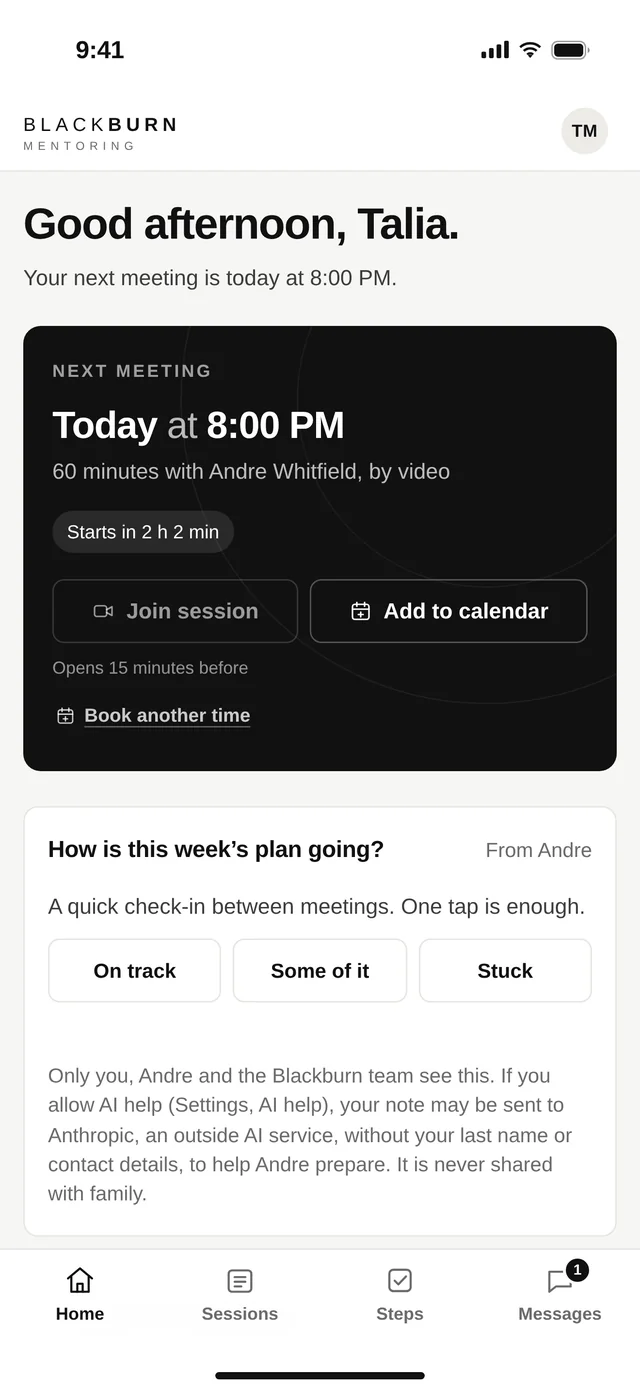
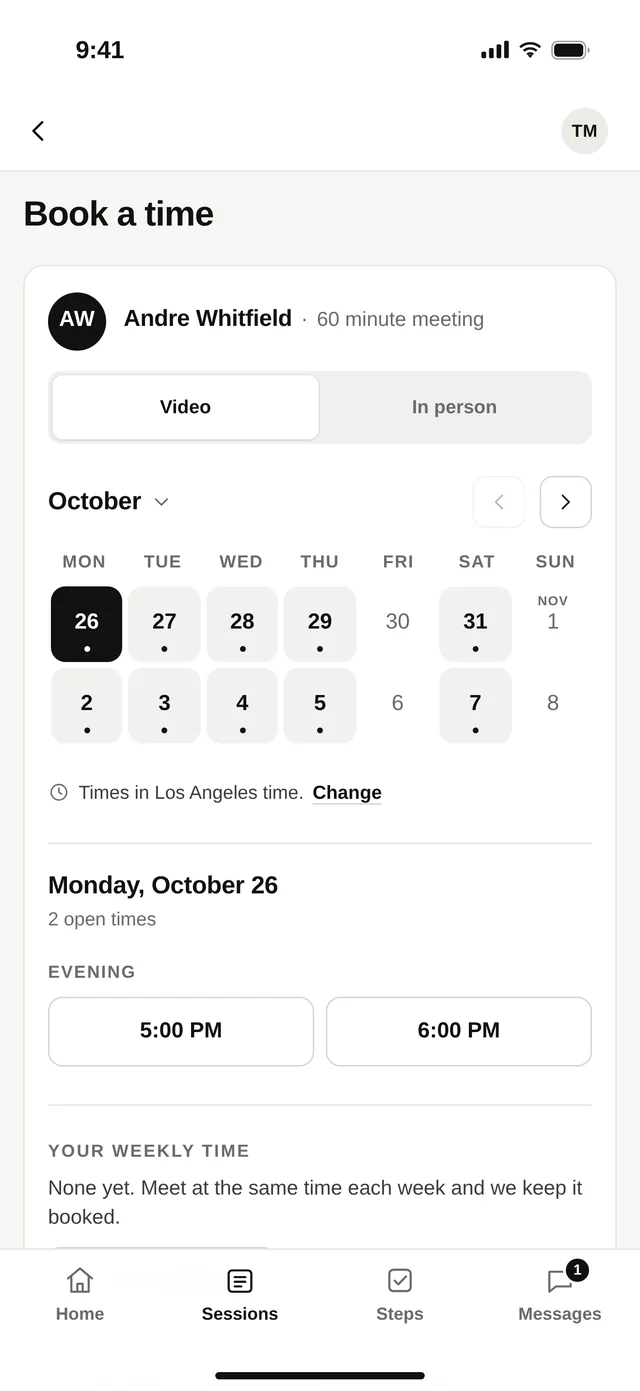
Book a time in seconds
See your next session at a glance, book or move a time that works for you both, and join the video room right from the app. By video from anywhere, or in person in Los Angeles.
02
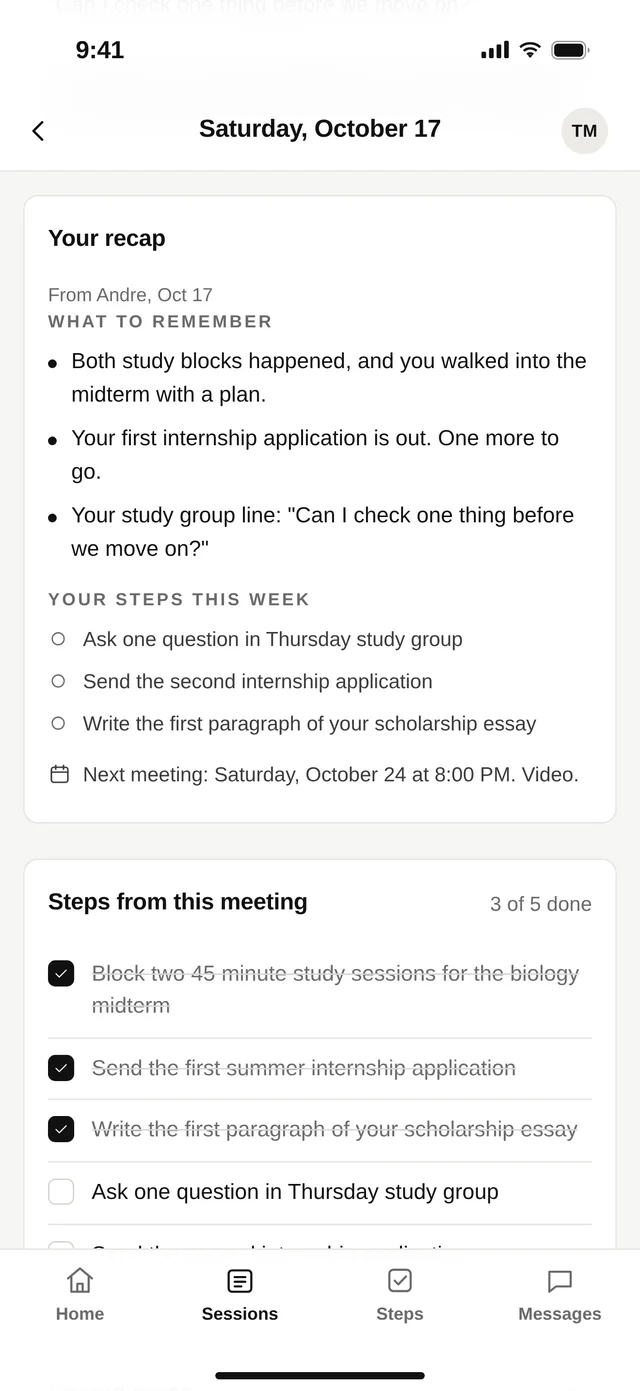
Always know your next steps
After every session your mentor sends a short recap and the steps you agreed on. Check them off as you go and see how far you have come.
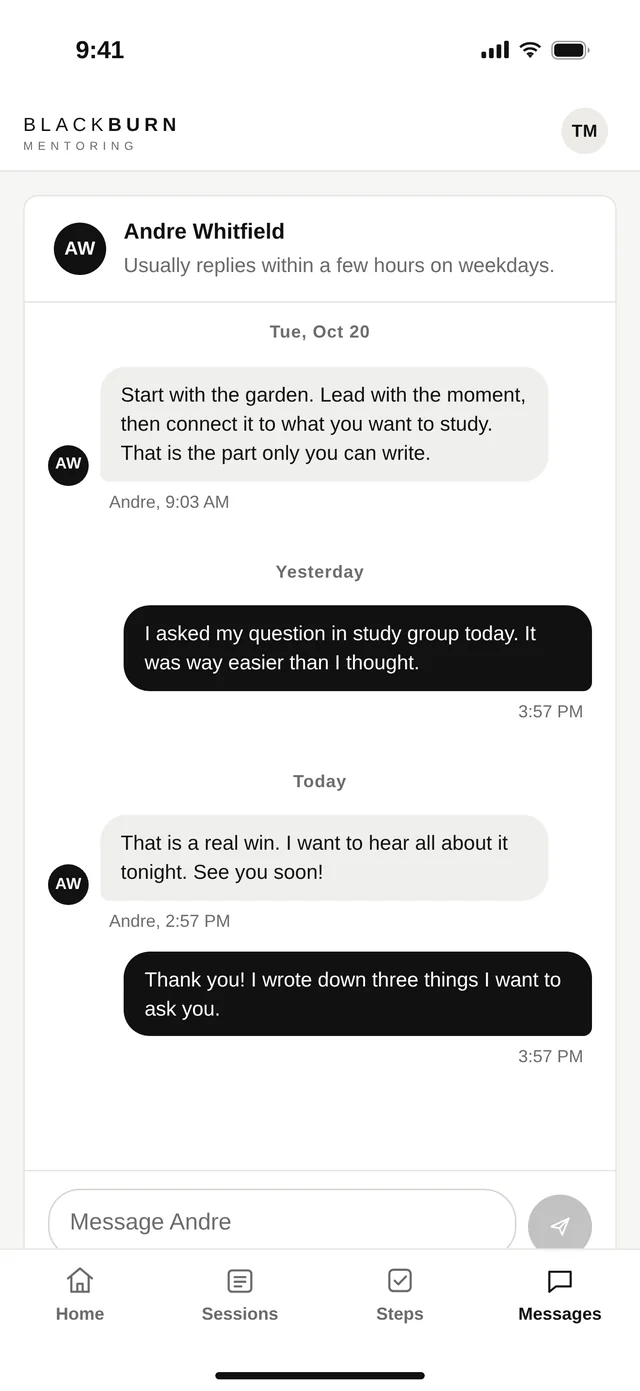
03
Your mentor, a message away
Share a win or ask a question between sessions. The whole conversation stays in one place, with someone who remembers what you said last time.
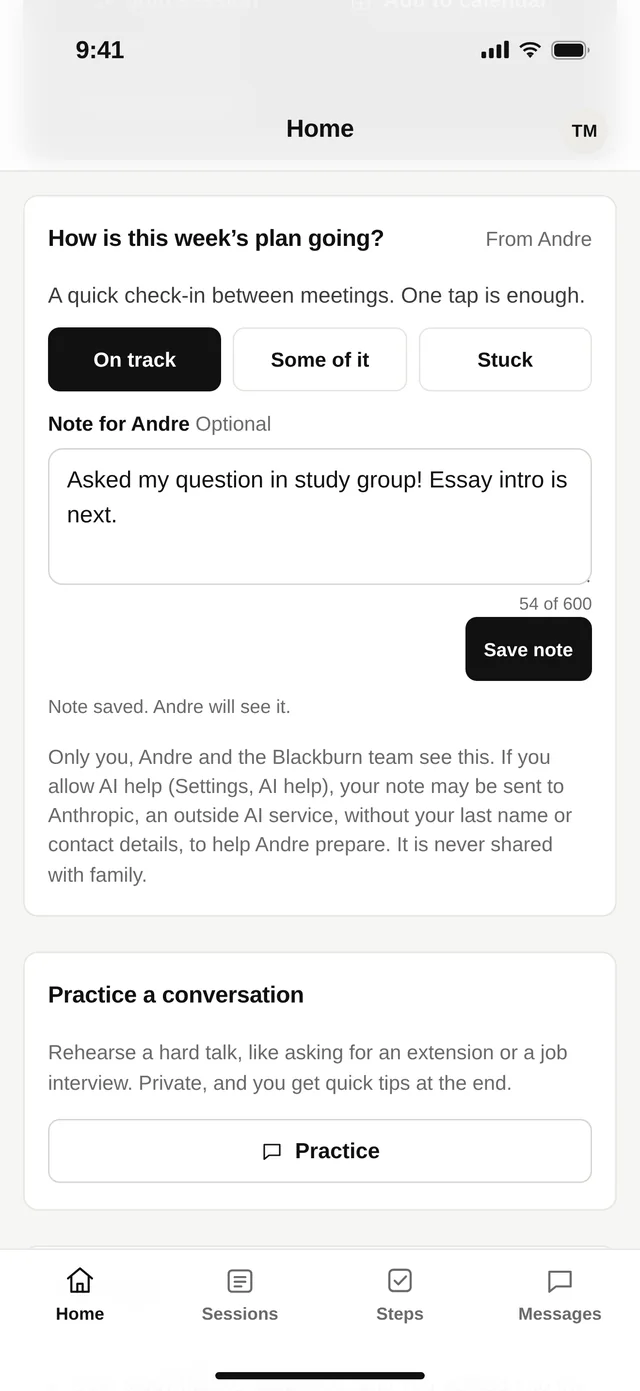
04
Check in with one tap
A quick check in between meetings keeps the week on track. One tap is enough, and you can add a note for your mentor.
Family, on your terms
Invite a parent to a read only family view. Private notes, messages and steps are never shared.
Private by design
Notifications say who and when, never what was said. Optional AI help stays off until you allow it.
Reminders that help
A reminder arrives before each session, and one tap adds it to your calendar.
Already a client? Everything in the app also works in your browser. Sign in on the web
How it is different from other coaching and accountability apps
Why a real mentor
How it is different from other coaching and accountability apps
Most accountability apps are self-tracking tools or peer groups. The Blackburn Mentoring & Coaching app is built around one real person, your mentor, who knows your plan: your mentor runs the session, sends the recap and next steps, sees your midweek check-in and answers your messages between sessions. Parents of teens can be given a read-only family view with session dates and written updates, while private notes and messages stay private.
See it in under a minute: the app in 30 seconds, what parents can see and what happens between sessions, or all videos, with transcripts.
Questions
About the app
Is there a mentoring app with a real person as your mentor?
Yes. In the Blackburn Mentoring & Coaching app, every client works with one real Blackburn Mentoring mentor who runs 60 minute video sessions, sends the recap and next steps, and answers messages. The app organizes the work between sessions.
Yes. The Blackburn Mentoring app, listed in the stores as Blackburn Mentoring & Coaching (free for iPhone and Android), is where clients see their sessions, book times, get recaps and next steps, check in and message their mentor. Get it on the App Store or Google Play, or see what is in the app.
Can parents see their teen’s progress in the app?
Only through a read-only family view the client chooses to share. It shows upcoming session dates, sessions attended and written updates from the mentor. Private notes, session notes, messages and goals stay private.
Who can use the app?
Clients 13 and older. For clients under 18, a parent or guardian gives permission before mentoring begins.
Yes. College students anywhere in the US use the Blackburn Mentoring & Coaching app for weekly one-on-one video sessions with a mentor, plus recaps, next steps and a midweek check-in, scheduled in their own time zone, including early mornings, evenings and weekends.
Is the app free?
Yes. The app is free to download on iPhone and Android, and your account is created when you enroll. Mentoring itself is a paid plan; cost depends on how often you meet and is discussed on the free intro call, which you can book without an account.
Can I use Blackburn Mentoring without the app?
Yes. Everything in the app also works in your browser at blackburnmentoring.com/dashboard, on a phone or a computer.
More answers: a mentoring app with a real mentor and an accountability app with a real coach.
New to Blackburn Mentoring?
Start with a free intro call.
A 20 minute conversation about where you are and where you want to go. We match you with a mentor within 2 business days.
A few quick questions, then pick a time. Booked right away.
Or call (888) 305-5422Already a client?
Download the app above, or sign in through your browser.